One Source of Truth for Your Skills: Iterate Daily, Break Nothing
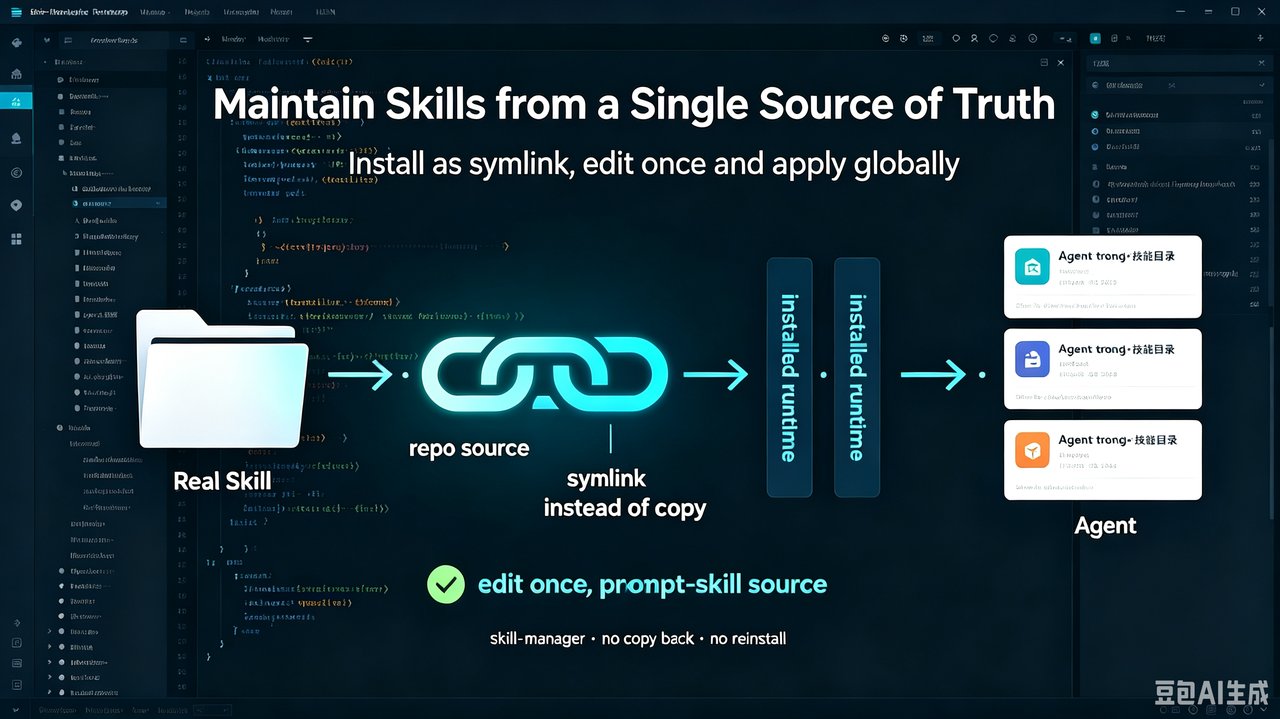
If you build AI agent Skills, you’ll hit the loop: the Skill isn’t mature yet, so you tweak it daily. Open-source installers already solved distributing one Skill across many agents. The leftover pain is the copy round-trip between your repo and the installed directory. Symlink the install to the repo and one edit updates everything.
The real pain: the repo↔install copy round-trip
Open-source installers (like npx skills) install a Skill into one runtime directory (e.g. ~/.agents/skills) and symlink the rest — multi-agent sync is solved. But they don’t close the seam between your repo (the single source of truth) and the installed directory:
- Improve the Skill inside an agent → the change lives only in the installed dir → you must copy it back to the repo.
- Improve it in the repo → you must reinstall to verify in the agent.
The more immature and fast-moving the Skill, the more frequent that manual copy — and the easier drift becomes.
Approach: make the install a symlink to the repo
skill-manager doesn’t copy a Skill into each runtime. It creates a symlink from each runtime’s skills/ back to the real repo directory. You edit once, in the repo; every runtime sees it on next load — no copy-back, no reinstall.
# Link a local Skill into all agent runtimes (symlinks only, no copy)
python <skill-path>/scripts/manage.py add /path/to/local/skill

# Unlink later — removes the link, keeps the source
python <skill-path>/scripts/manage.py remove <skill-name>
The real Skill directory (e.g. kylinlab.tech.skills/skills/<name>/) is the only source of truth. skill-manager links 8 runtimes: ~/.trae-cn, ~/.claude, ~/.codebuddy, ~/.qoder, ~/.qoder-cn, ~/.lingma, ~/.zcode, ~/.agents.
The key distinction: an installer’s install is a copy (two edit locations); skill-manager’s install is a link (one edit location, two names for the same file).
Why it’s safe to thrash daily
- Never overwrites existing content. If a real file/dir already exists at the target, the link is skipped with an error; it only ever replaces an existing symlink.
- Name validation. Skill names are restricted to letters, digits,
-,_,.— no path separators, so traversal is impossible by construction. - No
updatecommand. Local edits are live, so there’s nothing to update. External, stable Skills remainnpx skills’s job.
Result: the copy round-trip goes to zero
| Dimension | Copy approach | Symlink approach |
|---|---|---|
| repo↔install copy tax | every time | 0 |
| drift risk | high | 0 |
| reinstall round-trip | frequent | gone |
| uninstall safety | afraid to delete source | link only removed |
Reproduction checklist
- Link
skill-manageritself into your agent first, then let it link your other Skills. - Confirm the local Skill directory contains a valid
SKILL.mdwith legal frontmatter. - Run the link command; link it into every runtime.
- Edit one line in the source
SKILL.md; verify it’s live in the agent without reinstalling. - Use
ls -lto confirm a symlink, not a copy, in a runtime. - For external, cross-repo stable Skills, use
npx skills add— not symlinks.
Conclusion & further reading
Local evolving Skills → skill-manager (install = symlink). External stable Skills → npx skills (install = copy). They’re a division of labour, not competitors. Next time a Skill enters its daily-change phase, link it to a single source of truth first — because the install is the repo’s link, one edit updates the repo and every agent together.
Open source:
skill-manager: https://github.com/KylinLabAI/kylinlab.tech.skills/tree/master/skills/skill-manager- Repo (put your own local Skills in
skills/<name>/): https://github.com/KylinLabAI/kylinlab.tech.skills - External stable Skills via
npx skills add: https://github.com/KylinLabAI/kylinlab.tech.skills/tree/master/external-skills